
Overview
Role Level Connection Auth is new in Imply 3.3 and higher. It allows the restriction of access to datasources at the Druid level via Pivot and within Druid itself. Role Level Connection Auth depends on druid-basic-security which must be enabled via extensions. Please keep in mind that TLS should also be enabled to prevent credentials from being passed in plain text.
The below steps are an example of implementing Role Level Connection Auth.
First, add the basic-auth extension to Druid in the common.runtime.properties.
druid.extensions.loadList=["druid-basic-security", "druid-histogram", "druid-datasketches", "druid-kafka-indexing-service", "imply-utility-belt"]
Set up the basic Authenticator, Authorizer, and Escalator config in the same common.runtime.properties: (The below excerpt can be directly copied and pasted)
# Druid basic security
druid.auth.authenticatorChain=["MyBasicMetadataAuthenticator"]

druid.auth.authenticator.MyBasicMetadataAuthenticator.type=basic
druid.auth.authenticator.MyBasicMetadataAuthenticator.initialAdminPassword=password1
druid.auth.authenticator.MyBasicMetadataAuthenticator.initialInternalClientPassword=password2
druid.auth.authenticator.MyBasicMetadataAuthenticator.credentialsValidator.type=metadata
druid.auth.authenticator.MyBasicMetadataAuthenticator.skipOnFailure=false
druid.auth.authenticator.MyBasicMetadataAuthenticator.authorizerName=MyBasicMetadataAuthorizer

# Escalator
druid.escalator.type=basic
druid.escalator.internalClientUsername=druid_system
druid.escalator.internalClientPassword=password2
druid.escalator.authorizerName=MyBasicMetadataAuthorizer

druid.auth.authorizers=["MyBasicMetadataAuthorizer"]

druid.auth.authorizer.MyBasicMetadataAuthorizer.type=basic
Create Users, Roles, and Permissions
The next steps are to create users, roles, and permissions to datasources within Druid. This is done via API calls on the active leader coordinator. A full reference list of available APIs can be found in the following Druid documentation: https://druid.apache.org/docs//0.15.1-incubating/development/extensions-core/druid-basic-security.html
Important note: This is all done via the Coordinator API, which lives on port 8081 for non-TLS connections and port 8281 for secured connections. The examples below utilize the properties as they were defined above for MyBasicMetadataAuthenticator and MyBasicMetadataAuthorizer.
Here is a Postman collection which may aid in usage of the APIs->9598d40f58cabda202e5.json
Create authenticator users and credentials
- POST to
http://localhost:8081/druid-ext/basic-security/authentication/db/MyBasicMetadataAuthenticator/users/<USERNAME>to create the user - POST to
http://localhost:8081/druid-ext/basic-security/authentication/db/MyBasicMetadataAuthenticator/users/<USERNAME>/credentialsto set the user's password. The password payload is of the form:
{ "password": "password" }
Create authorizer users
Authorizer users need to be manually created to match authenticator users. For each user you created above, create a corresponding authorizer user:
- POST to
http://localhost:8081/druid-ext/basic-security/authorization/db/MyBasicMetadataAuthorizer/users/<USERNAME>
Create authorizer roles
Next, create the roles you will use to control permissions
- POST to
http://localhost:8081/druid-ext/basic-security/authorization/db/MyBasicMetadataAuthorizer/roles/<ROLENAME>
Assign roles to users
Next, link the users to the roles you want them to be assigned to:
- POST to
http://localhost:8081/druid-ext/basic-security/authorization/db/MyBasicMetadataAuthorizer/users/<USERNAME>/roles/<ROLENAME>
Set up your role permissions
Finally, attach permissions to the roles to control how they can interact with Druid:
- Post to
http://localhost:8081/druid-ext/basic-security/authorization/db/MyBasicMetadataAuthorizer/roles/<ROLENAME>/permissions
Payload for the above is of the form below. The <PATTERN> is expressed in regex, for example to provide access to all wikiticker and wikidata, it can be expressed as wiki.*
[
{
 "resource": {
 "name": "<PATTERN>",
 "type": "DATASOURCE"
 },
 "action": "READ"
},
{
 "resource": {
 "name": "STATE",
 "type": "STATE"
 },
 "action": "READ"
}
]
Associate the Above User with a Pivot Role
Pivot must now be configured with a Role associated to the above user now that a user has been created in druid to access only the desired datasources. This is done via the Imply Pivot Administrator settings
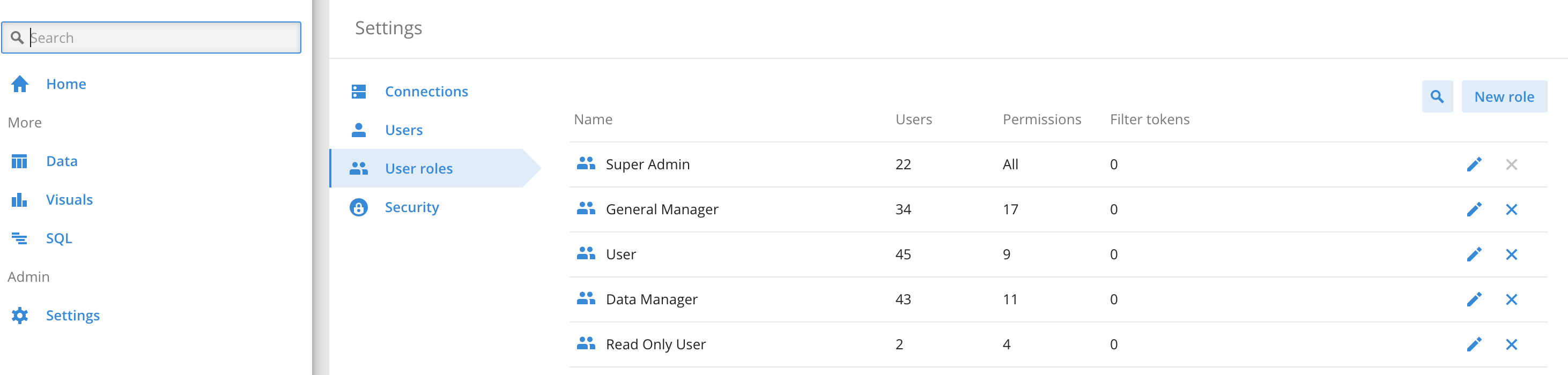
You can create a new role or utilize and existing role. When creating/editing the role you will assign a Database auth token:

This token Takes the form of the following:
{
 "type" : "basic-auth",
 "username": <USERNAME>,
 "password": <PASSWORD>,
 "priority": <1-10>
}
This information relates to the user created via the API commands in Druid. A user with this assigned role will be restricted to the datasources they are allowed to access as defined in the above API JSON. The priority is used in the event the user has more than one role which results in more than one Database auth token. The highest priority token will be utilized. It is important to understand this does not grant cumulative access to datasources, ONLY the highest priority token will be used.Below is a slide which illustrates this concept: In this example, Pivot user B has Roles A AND B. Being that Role B has a Database auth token with priority 2, they will ONLY see datasources C and D. This is important to consider when thinking through your access needs and the various permutations of access given.

Summary
In the above article we have enabled Druid basic security. This allows you to define users/roles/permissions in Druid to restrict access to various datasources. We then associated those user credentials to a role in pivot. Once that role is given to a Pivot user, their connection context will include the Database auth token as header information when connecting to Druid. The result is they can only query and create data cubes against their authorized datasources.
References
Druid Basic Security APIs ->https://druid.apache.org/docs/latest/development/extensions-core/druid-basic-security.html
Github Gist by David Gee (Imply) -> https://gist.github.com/davidagee/c0c839cd23f047b838e8a3ea73320346
Securing Druid -> https://imply.io/post/securing-druid