
WARNING: This was performed as a proof of concept and has not been tested in production environments.
Azure Event Hubs are fully managed, real-time data ingestion service that can support streaming millions of events per second. It is very similar to Apache Kafka.
Kafka and Event Hub Conceptual Mapping
| Kafka Concept | Event Hub Concept |
| Cluster | Namespace |
| Topic | Event Hub |
| Partition | Partition |
| Consumer Group | Consumer Group |
| Offset | Offset |
Azure Event Hubs allows accessing the data (publishing and consuming) via Apache Kafka API. Please see the link below for more information
https://docs.microsoft.com/en-us/azure/event-hubs/event-hubs-for-kafka-ecosystem-overview
Apache Druid Kafka Ingestion services leverages Kafka API to consume messages. This article focuses on how to leverage the same to consume messages from Azure Event Hubs (via Kafka API)
Setup Namespace and Event Hub in Azure
Login to Azure Portal and select the Event Hubs from Azure Services and click "Add" to create a new Namespace

In the following Create Namespace UI please make sure "Enable Kafka" is checked. This allows the Event Hub to be accessed via the Kafka API
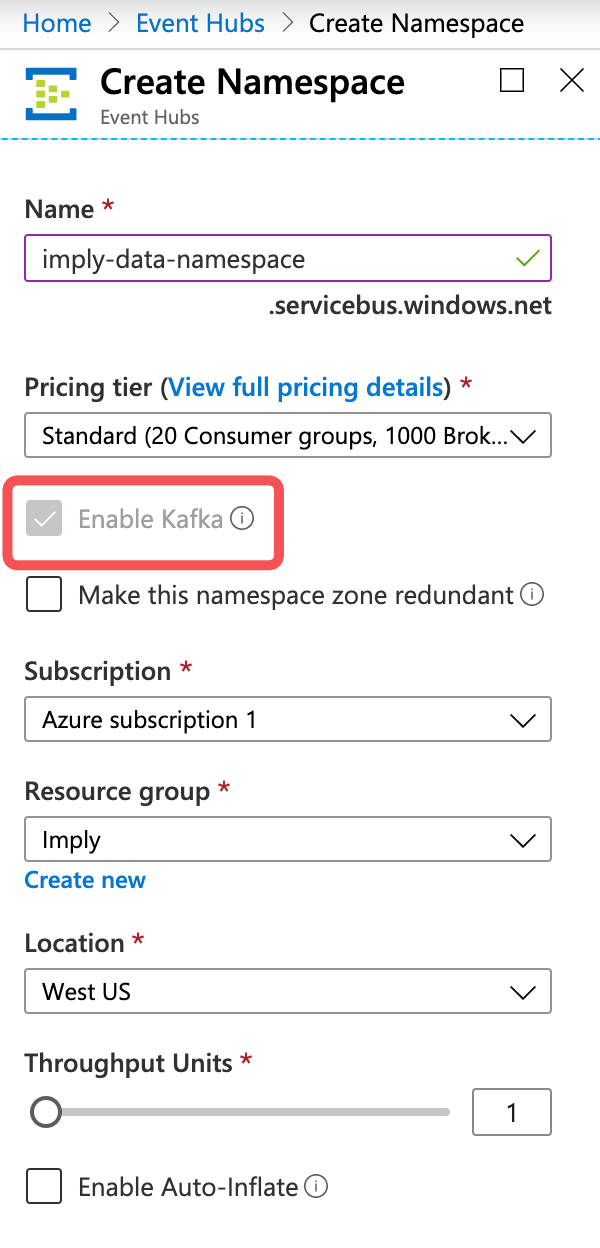
Make a note of the name space name provided - imply-data-namespace.servicebus.windows.net, this is the bootstrap server configuration that we need to provide for Kafka Consumer.
Once created the name space will be active as below
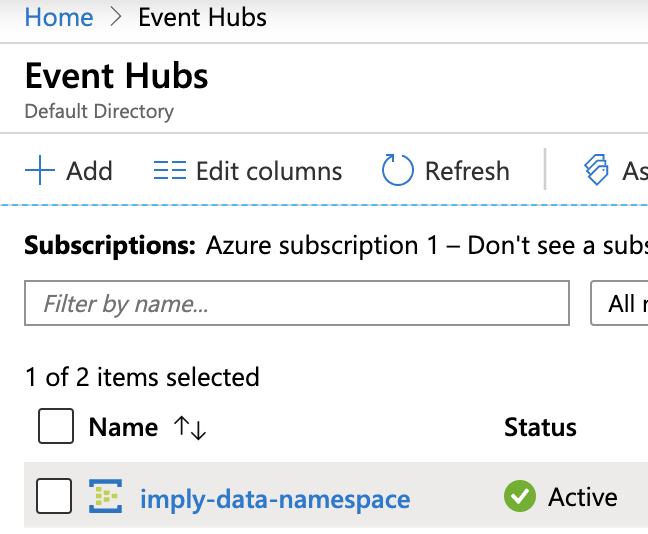
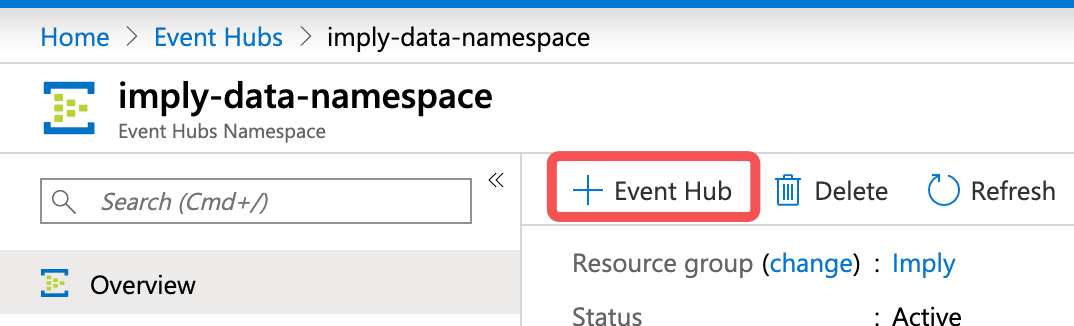
Click on the Namespace to open the name space details page and click on the "Event Hub" to add a new event hub (topic in kafka terminology).
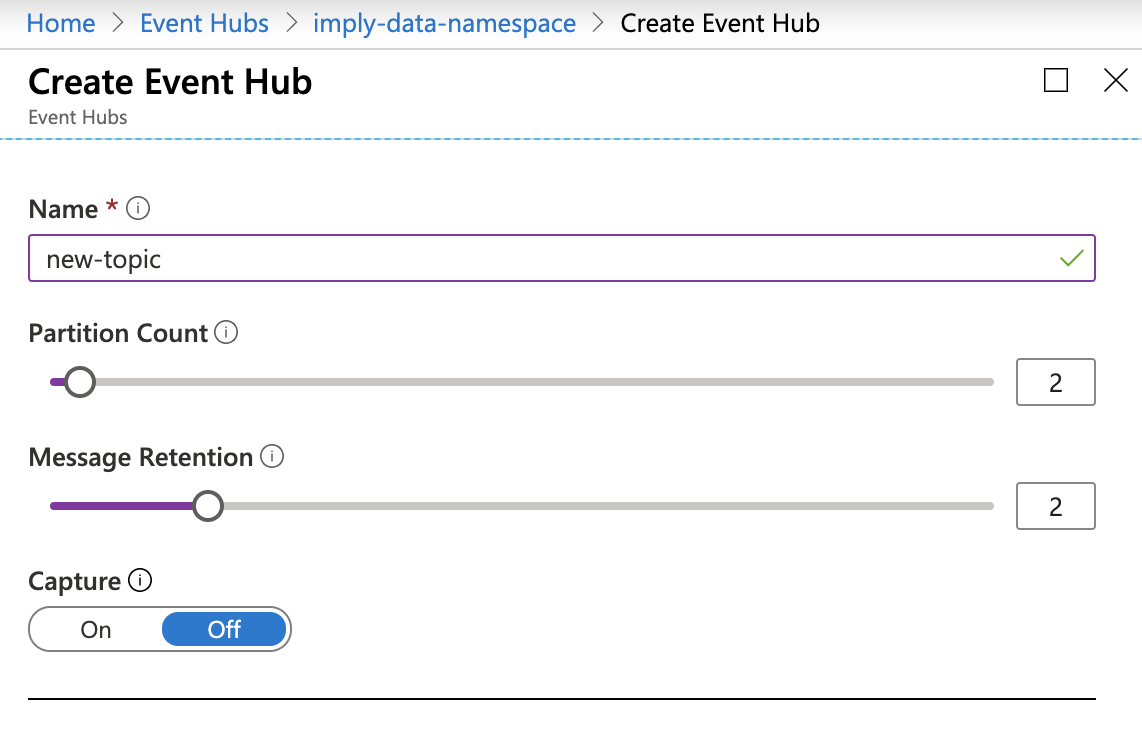
Provide the topic name in the Create Event Hub screen and adjust the partition and message retention settings as needed
The above should create a new event hub. Now we need to add access policies to this newly created event hub. This access policy information is needed for us to connect to this topic from Kafka API. Open the details page of the newly created event hub and click on the "Shared access policies" as below, and then click on the "Add" button to add a new access policy
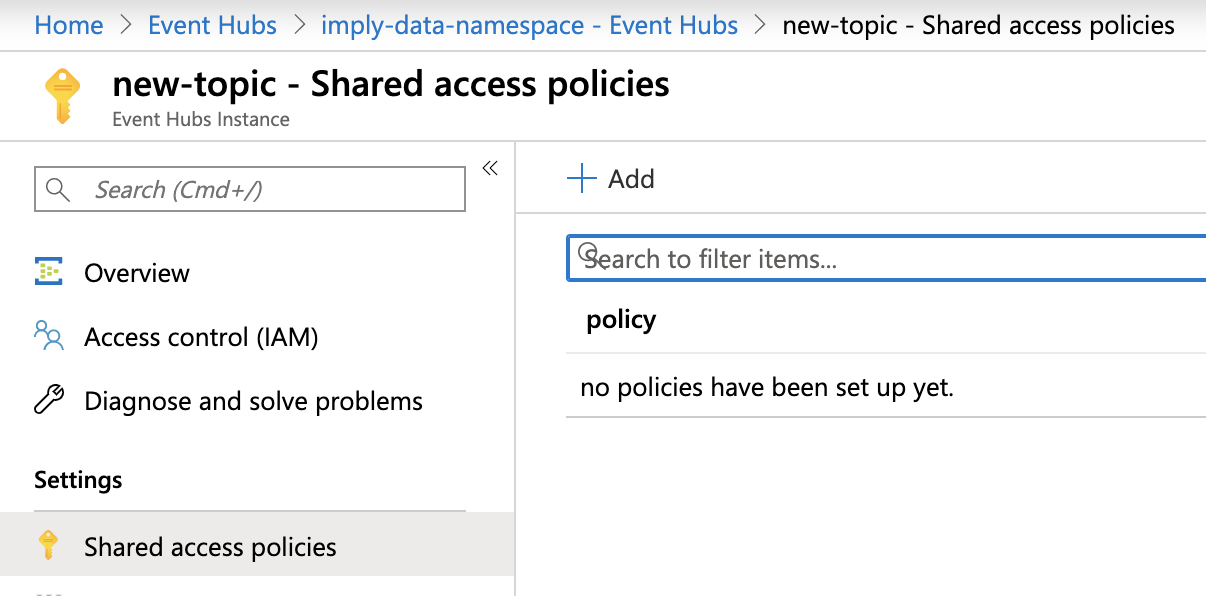
Create access policy like below, which creates an all access policy.

Once created copy the "Connection string-primary key" information as below. That is needed for accessing via Kafka API
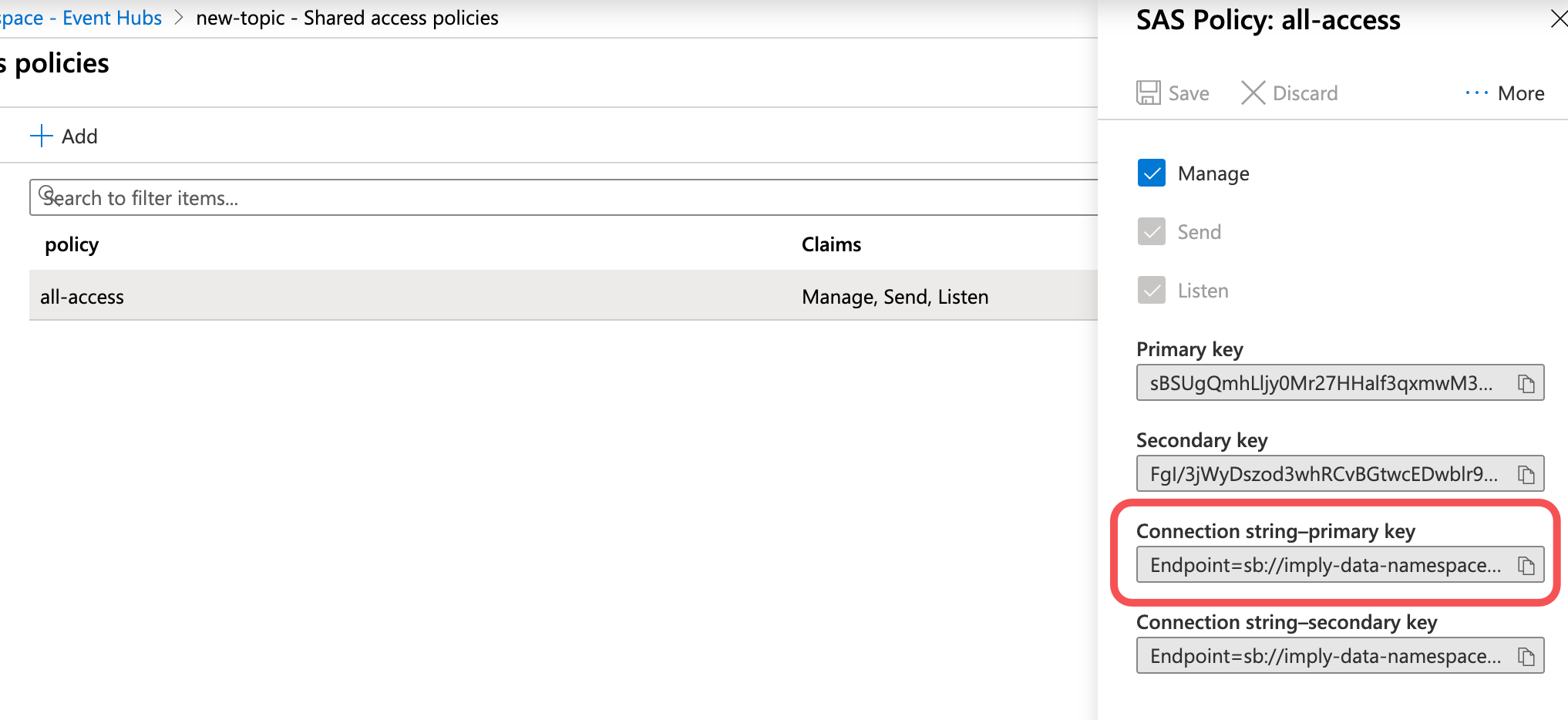
Now we are all set to start consuming data from this event hub. Following parameters should be provided to consume data
"bootstrap.servers":"imply-data-namespace.servicebus.windows.net:9093",
"security.protocol":"SASL_SSL",
"sasl.mechanism":"PLAIN",
"sasl.jaas.config":"org.apache.kafka.common.security.plain.PlainLoginModule required username=\"$ConnectionString\" password=\"<text copied from Connection string-primary key >\";"
See the Druid Data Loader section for more information on this.
Druid Data Loader to Azure Event Hubs
I have an Imply quick start single node cluster running in one of the Azure VM's. Please see below link for more information on quick start guide
https://docs.imply.io/on-prem/quickstart
I'm going to use the Apache Kafka Data Loader in this example to load data from Azure Event Hub. For a detailed look on the data loader for Kafka please take a look at the below tutorial
https://imply.io/videos/druid-data-loader-kafka-walk-through
Below is the configuration in the data loader for connecting to Azure Event Hub
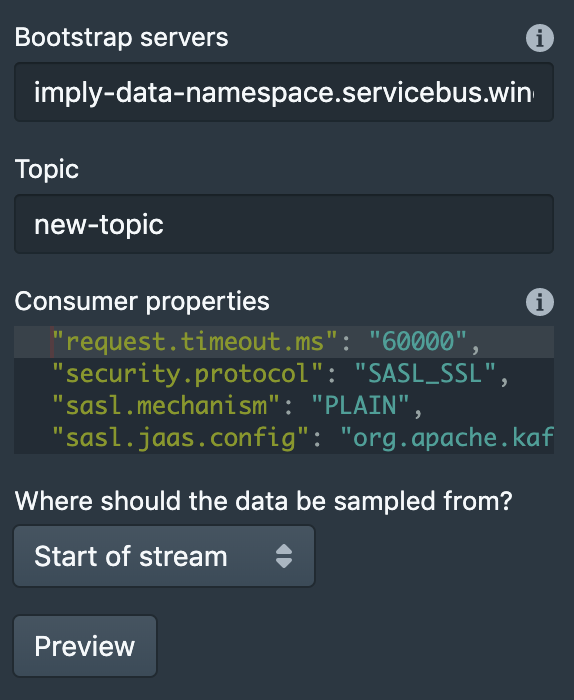
Below is the complete ioConfig the above configuration generates
 "ioConfig": {
 "type": "kafka",
 "consumerProperties": {
 "bootstrap.servers": "imply-data-namespace.servicebus.windows.net:9093",
 "group.id": "$Default",
 "request.timeout.ms": "60000",
 "security.protocol": "SASL_SSL",
 "sasl.mechanism": "PLAIN",
 "sasl.jaas.config": "org.apache.kafka.common.security.plain.PlainLoginModule required username=\"$ConnectionString\" password=\"Endpoint=sb://imply-data-namespace.servicebus.windows.net/;SharedAccessKeyName=all-access;SharedAccessKey=keyFromAzureUI=;EntityPath=new-topic\";"
 },
 "topic": "new-topic"
 },
NOTE - the value for
"sasl.jaas.config": "org.apache.kafka.common.security.plain.PlainLoginModule required username=\"$ConnectionString\" password=\"<text copied from Connection string-primary key >\";"
I have already published some data to the Event Hub by using Kafka API. So by hitting preview, you should see the data from Event Hub in the Druid Data Loader like below
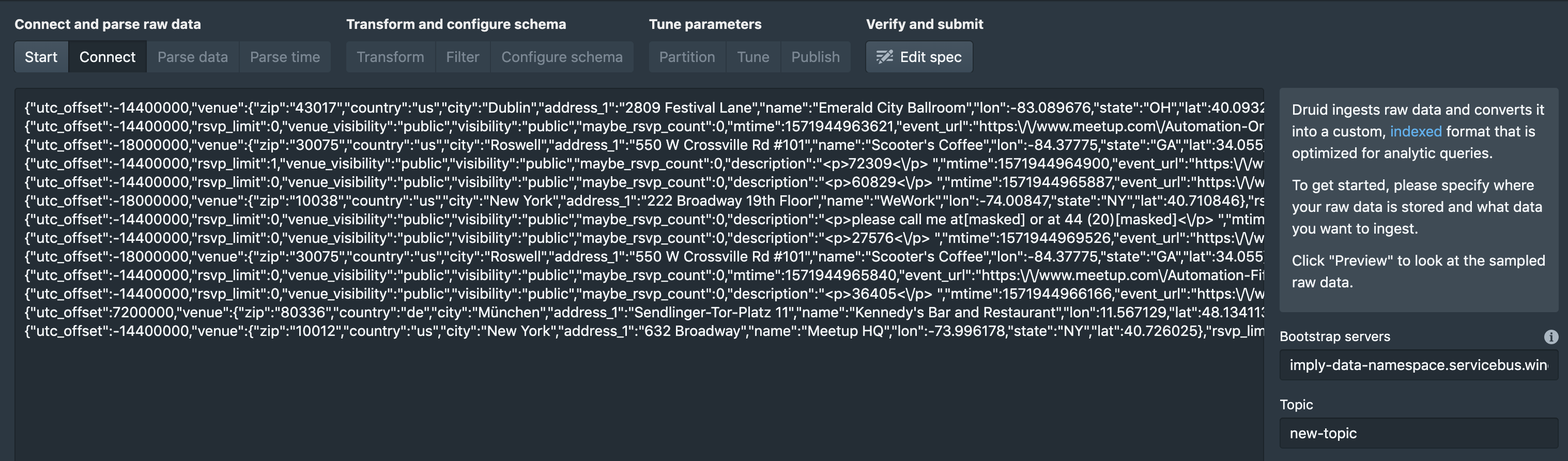
There you have it, the data from Azure Event Hub can be consumed via Druid Data Loader and a supervisor task can be submitted to create a Druid Datasource. For creating data sources and supervisor tasks follow the below tutorial.
https://imply.io/videos/druid-data-loader-kafka-walk-through